Vergence-Accommodation Conflict: The Hidden Reason Screens Give You Eyestrain
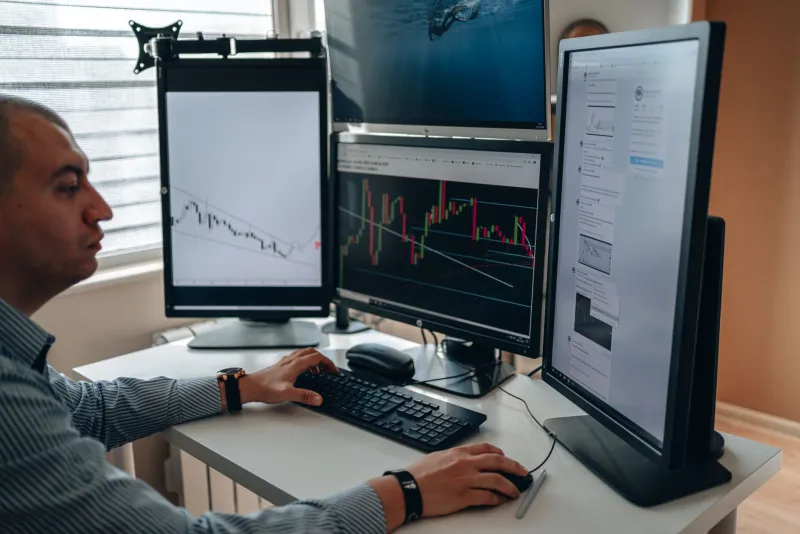
Millions of Americans end their workdays with tired, aching eyes, blurred vision, or nagging headaches. Many assume the problem is blue light, poor posture, or simply staring too long at a bright display. While those factors can contribute, eye care professionals increasingly point to a more fundamental issue: a phenomenon called vergence-accommodation conflict, or VAC. Understanding it may change the way you think about screen time entirely.
What Your Eyes Are Doing Every Time You Look at a Screen
To appreciate vergence-accommodation conflict, it helps to understand two separate systems your visual system uses simultaneously when you view any object.
Accommodation refers to the process by which the lens inside your eye changes shape to bring an object into sharp focus. When you look at something close — like a phone held 12 inches away — the ciliary muscles in your eye contract, thickening the lens to focus light precisely on the retina.
Vergence refers to the coordinated inward or outward rotation of both eyes so that they point at the same object. When you view something nearby, your eyes rotate inward (converge). When you look at something in the distance, they rotate outward (diverge).
In the natural world, these two systems are tightly coupled. When your eyes converge to look at an object two feet away, your lenses also accommodate for two feet — and vice versa. This pairing is so reliable that the brain uses each system as a cue to calibrate the other.
How Screens Break That Natural Partnership
Digital screens introduce a fundamental conflict. A smartphone, tablet, or monitor presents a flat, two-dimensional image at a fixed physical distance. Your eyes converge to that physical distance — say, 20 inches for a typical desktop monitor — and your accommodative system focuses there as well. So far, so good.
The problem arises with stereoscopic 3D content, virtual reality headsets, and even standard flat-screen displays, though in different ways.
With VR and 3D displays, the screen itself sits at a fixed physical distance (often just inches from your eyes in a headset), but the rendered image may simulate objects at varying virtual depths — some appearing close, others far away. Your vergence system responds to the simulated depth cues and shifts accordingly, but your accommodative system remains anchored to the actual screen distance. The two systems are now pulling in opposite directions. This is VAC in its most acute, well-documented form.
With standard flat screens, the conflict is subtler but still present. Your eyes must sustain precise convergence and accommodation at an unnatural, fixed distance for hours at a time — something the human visual system did not evolve to do. The ciliary muscles fatigue. The vergence system works harder to maintain alignment. The brain, receiving slightly inconsistent signals, expends additional processing effort to reconcile them.
Symptoms That Point to Vergence-Accommodation Conflict
VAC-related eyestrain tends to produce a recognizable cluster of symptoms that go beyond simple dryness or irritation:
- Blurred vision during or after screen use, sometimes taking minutes to clear when you look away
- Double vision or difficulty fusing images, particularly after extended VR use
- Headaches centered around the temples or behind the eyes
- Eye fatigue that feels muscular — a sense of strain rather than dryness
- Difficulty refocusing when shifting gaze from a screen to a distant object
- Nausea or disorientation, especially following VR sessions
If these symptoms sound familiar, they are worth discussing with your optometrist. Underlying conditions such as convergence insufficiency — a disorder in which the eyes struggle to work together at near distances — can significantly worsen VAC-related discomfort.
Why This Matters for Everyday Screen Users
VAC research gained significant momentum from the consumer VR industry, where headset manufacturers needed to understand why users reported discomfort after short sessions. But the principles apply more broadly to anyone who spends extended time on digital devices — which, according to the American Optometric Association, now includes the vast majority of working-age Americans.
Children and adolescents merit particular attention. Their accommodative systems are highly active and still developing, making them potentially more susceptible to the cumulative effects of sustained near-work demand. The rise of distance learning and recreational screen use among younger populations has prompted growing interest in this area among pediatric optometrists.
Practical Strategies for Reducing VAC-Related Strain
While no intervention eliminates vergence-accommodation conflict entirely — it is a physical property of how flat screens work — several evidence-informed approaches can meaningfully reduce its impact.
Follow the 20-20-20 rule. Every 20 minutes, look at an object at least 20 feet away for at least 20 seconds. This gives both your accommodative and vergence systems a genuine rest and an opportunity to recalibrate.
Optimize your viewing distance. Most optometrists recommend positioning monitors approximately 20 to 28 inches from your eyes. Holding smartphones closer intensifies accommodative demand and worsens the mismatch.
Adjust display settings thoughtfully. Increasing font size reduces the need for extreme accommodation. Reducing screen brightness to match ambient room lighting lessens overall visual demand.
Limit VR session length. Until display technology advances to reduce the vergence-accommodation gap, keeping VR sessions to 20–30 minutes with breaks is a reasonable precaution, particularly for younger users.
Schedule a comprehensive eye exam. If symptoms are persistent, an optometrist can assess your binocular vision, check for convergence insufficiency, and determine whether corrective lenses or vision therapy might help. Some patients benefit from lenses specifically prescribed for computer work — a different prescription than what they use for driving or general wear.
The Evolving Technology Landscape
Researchers and display engineers are actively working on solutions. Varifocal displays — which dynamically adjust the focal distance of a VR headset to match where the user is looking — represent one promising direction. Eye-tracking technology embedded in headsets can detect vergence in real time and adjust the display accordingly, narrowing the gap between where the eyes converge and where they must accommodate.
For now, however, most consumer screens have not solved this problem. Understanding VAC helps users make more informed decisions about their screen habits and empowers them to have more productive conversations with their eye care providers.
When to See an Eye Care Professional
Occasional end-of-day eye fatigue after heavy screen use is common and generally not cause for alarm. However, if you experience persistent blurred vision, frequent headaches tied to screen use, or difficulty with tasks that require sustained near focus, a comprehensive eye examination is warranted. These symptoms may reflect an underlying binocular vision disorder that vergence-accommodation conflict is simply making more apparent.
Your eyes are doing extraordinary work every time you open a laptop or pick up a phone. Giving them the attention — and the rest — they deserve is one of the most practical investments you can make in your long-term visual health.